IPTV Deck app icon
IPTV Deck
IPTV player · 7 platforms

An IPTV player for every screen you own.

Built for lists that break other players. A hundred thousand channels stay searchable, the guide loads in full, and your favourites follow you from the phone to the television.

Get IPTV Deck 4-day free trial · add a playlist before you create anything
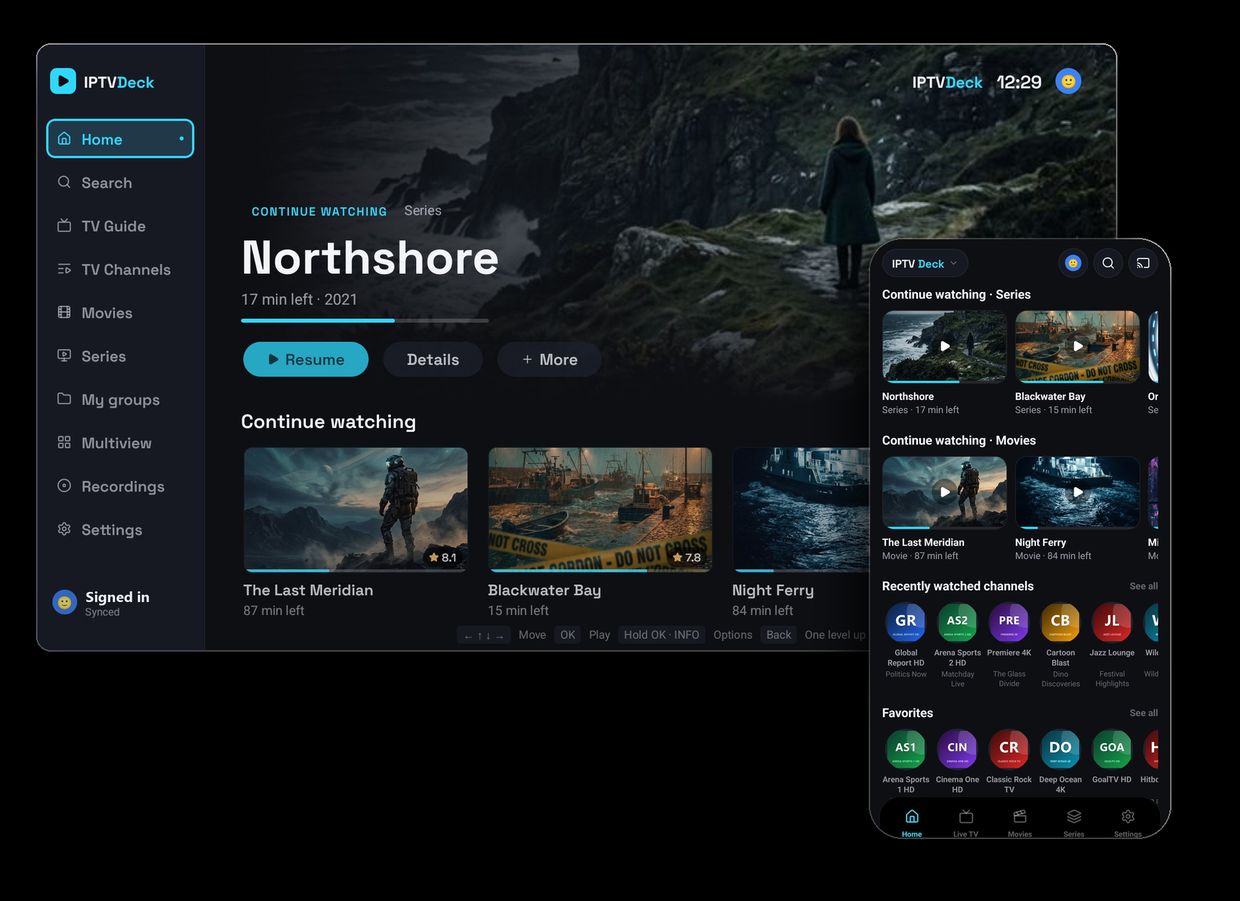
IPTV Deck running side by side on a television and a phone
Where it runs

Pick your screen

Seven platforms, one account, one playlist. Choose yours to see how it looks there, which version is live and how to install it.

Android TV & Google TV

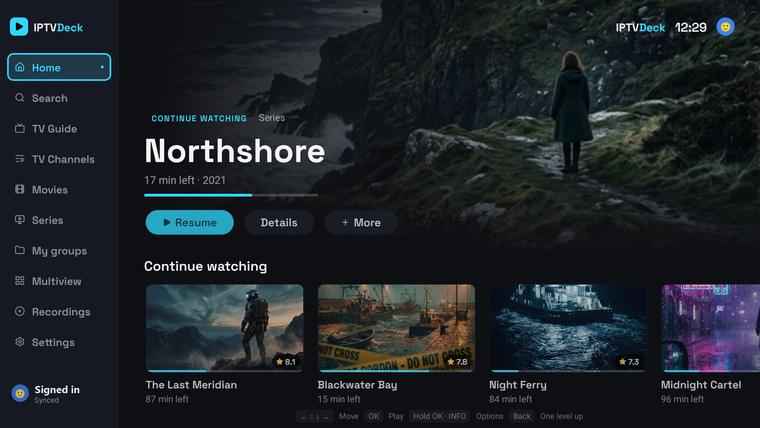
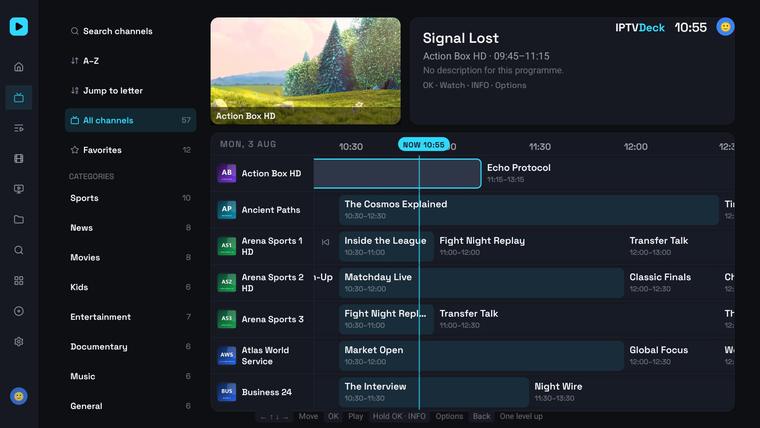
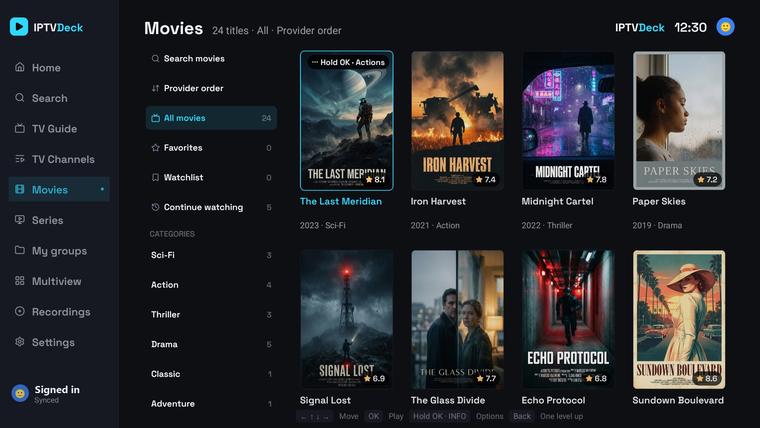
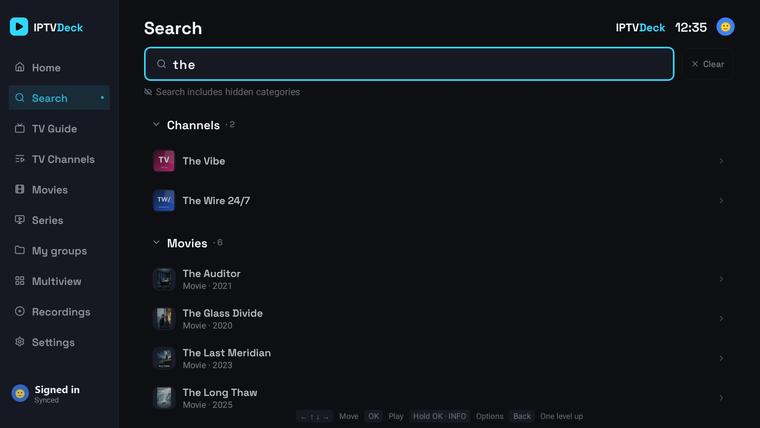
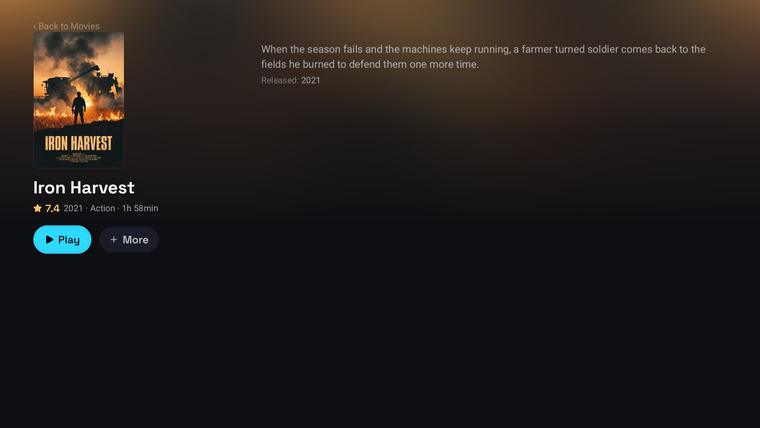
A real television app, not a stretched phone screen — a side nav rail, a hero spotlight over content rails and focus handling tuned for a D-pad. The guide scrolls at the speed of the remote, the channel list keeps your place, and holding OK opens the options for whatever is focused.

Google Play
  • 1 Search for IPTV Deck on the device
  • 2 Sign in and your playlists arrive

Google TV boxes, Android TV sticks and television sets. Updates arrive from Play on their own.

Swipe or scroll sideways for more screens.

Fire TV

The same build as Android TV, remote included. It is not on the Amazon Appstore, so it installs with a Downloader code — the standard way players like this get onto a Firestick. Two minutes, no computer needed.

Which Fire TV devices it runs on

IPTV Deck needs Fire OS 7 or newer (Android 8.0+): Fire TV Stick 3rd gen (2020), Stick Lite, Stick 4K Max, Stick 4K (2023), Fire TV Cube 2nd gen and newer, and Fire TV televisions on Fire OS 7 or 8. Your version is under Settings → My Fire TV → About. The install needs about 250 MB free even though the app takes less afterwards.

On older hardware — the 2016 Fire TV Stick (Fire OS 5) and the 2018 Fire TV Stick 4K (Fire OS 6) among them — the download finishes and the screen says There was a problem parsing the package. That is the device, not the file: downloading it again cannot fix it.

The 2025 Stick 4K Select and the 2026 Stick HD run Vega OS and cannot sideload anything at all. Every other Fire TV works.

Trouble installing? Common fixes

“App install failed” at the end — almost always free storage. Uninstall unused apps under Settings → Applications → Manage Installed Applications to get about 250 MB back, then try again.

A previous attempt failed — delete the downloaded file inside Downloader, uninstall any half-installed IPTV Deck, and download fresh. An interrupted download will not install.

“There was a problem parsing the package” — on Fire OS 7 or newer this means the download was cut short; the file should be about 101 MB in Downloader. Delete it there and fetch it again. On Fire OS 5 and 6 it means the device cannot run the app at all.

“App not installed” — a half-installed copy or too little free space. Uninstall IPTV Deck if it appears in your apps, free up about 250 MB, and install again.

Still stuck? Email mistyksu@gmail.com with the exact message from the screen plus your device model and Fire OS version.
Downloader code 7083371
  • 1 Install the free Downloader app from the Amazon Appstore
  • 2 Settings → My Fire TV → Developer options → Install unknown apps → ON for Downloader
  • 3 Open Downloader, type the code above and confirm the install
  • 4 Sign in — or scan the QR with your phone — and your plan unlocks itself

The address zssoftware.eu/tv serves the same file. Day-to-day updates arrive inside the app; when a new install file is needed, the app shows a notice with this code.

Swipe or scroll sideways for more screens.

Apple TV

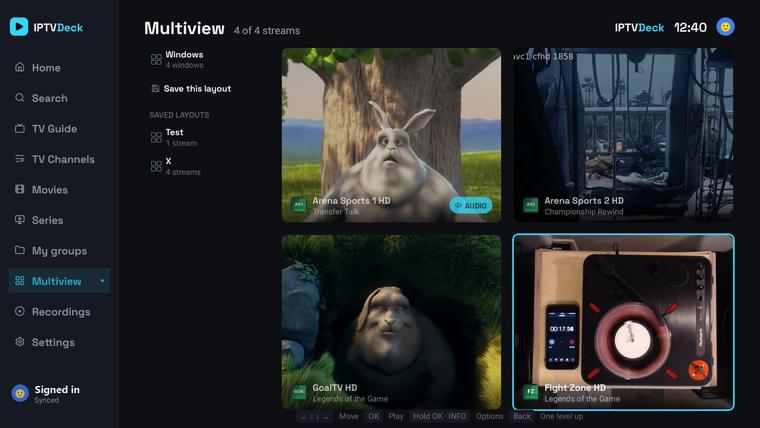
Built for the Siri Remote, with multiview for watching four channels at once. Recording and offline downloads are not part of the tvOS build.

App Store on Apple TV
  • 1 Search for IPTV Deck on the Apple TV
  • 2 Sign in with the same account

One purchase covers iPhone, iPad and Apple TV on the same Apple ID.

Swipe or scroll sideways for more screens.

Android phone & tablet

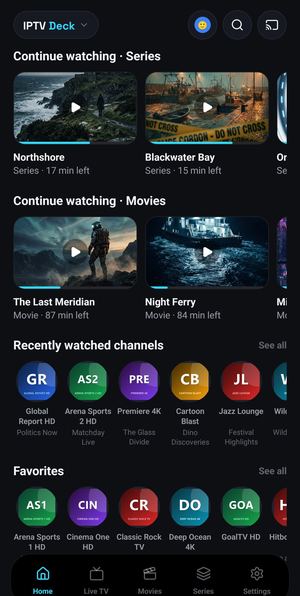
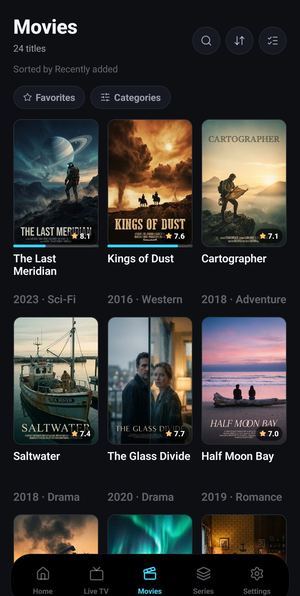
Portrait for browsing, landscape for watching. Picture-in-picture, background audio, and a cast button that hands the channel to the television without stopping it.

No Play Store on the device?

Plenty of Android devices never got the Play Store — a Meta Quest headset, a projector, a TV box. It is the same app, installed from a file instead: open zssoftware.eu/tv-full in the device browser, or in Downloader, and allow the install when Android asks.

That file carries both ARM builds, so it fits 32-bit and 64-bit devices alike. Needs Android 8.0 or newer. On a Firestick use the Fire TV tab instead — it hands you a smaller file built for that hardware.

Google Play Download the APK

Phones and tablets. A tablet can switch to the television layout in Settings. Install from Play where you can — it keeps itself up to date.

Swipe or scroll sideways for more screens.

iPhone & iPad

The same app on both, with picture-in-picture, background audio and AirPlay. Your favourites arrive from whichever device you set them on. Recording and Google Drive sync are Android-only.

App Store

One purchase covers iPhone, iPad and Apple TV on the same Apple ID.

Swipe or scroll sideways for more screens.

Windows

The television layout on a desktop, with a mouse and keyboard where you want them. Installs from a download and keeps itself up to date.

Download the installer
  • 1 Run the installer
  • 2 Sign in, playlists follow

64-bit Windows 10 and 11.

Swipe or scroll sideways for more screens.

macOS

A Mac build from the App Store, sharing the purchase with your iPhone, iPad and Apple TV.

Mac App Store

Apple silicon and Intel. Same account, same playlists.

Swipe or scroll sideways for more screens.

What it does

What it actually does

Everything below works on every platform above, give or take what the platform itself allows. Nothing here is a paid extra.

Playback
  • Plays what others choke on

    Three decoding paths under one player: ExoPlayer, an FFmpeg software decoder and VLC as a full fallback. When a stream refuses the first, the next takes over without you touching anything, so HEVC and AC-3 channels other apps call unsupported still play.

  • Subtitles that match

    Embedded audio and subtitle tracks, closed captions, and OpenSubtitles searched and ranked against the actual film or episode on your own account when the stream carries none.

  • Channel variants group themselves

    The same station often arrives five times over — HD, FHD, RAW, VIP, backup. The app reads them as one channel, orders them by quality, drops copies pointing at the same stream and puts up to eight behind a single switch in the player.

  • The whole screen when you turn it sideways

    Player, zapping and multiview each get the full screen, with gestures for brightness, volume, ±10 s and pinch zoom, plus a sleep timer and picture-in-picture.

Guide & catch-up
  • The whole guide

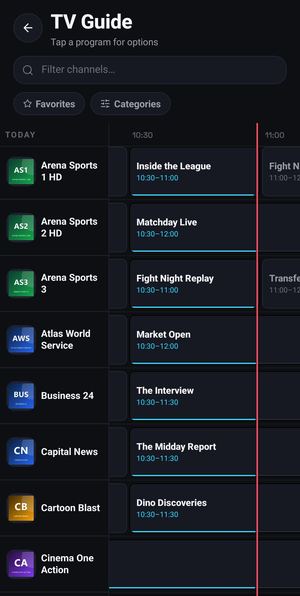
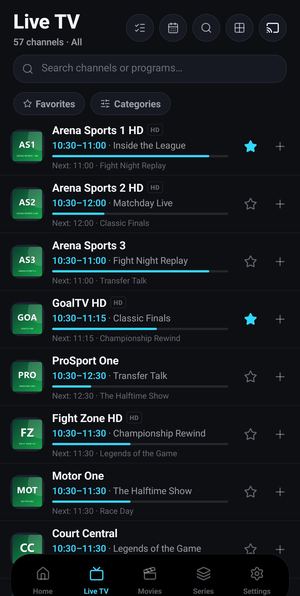
    Days of programming — seven back and seven forward — scrolling at the speed of the remote, on lists where other players give up. Sources are detected automatically, you can add any number of extra XMLTV feeds, and there is a ±3 h time offset for providers that need one.

  • It finds the channel itself

    Playlist names are almost never equal to guide ids, so both sides get normalised — country prefixes and quality tags go, accents fold — and only what is left gets compared. When one name could mean two channels it refuses to guess rather than show the wrong programme, and a match you made by hand is never overwritten.

  • Catch-up and timeshift

    Open a programme that already aired and watch it from the start, wherever the provider keeps an archive.

  • Reminders that still fire

    Tap the bell on any future programme. The notification arrives with the app closed, one set on the television reaches your phone on its own, and the television shows a panel when the programme starts.

Your library
  • Playlists, three ways

    Xtream Codes, an M3U link or a local file. Several at once with a quick switcher, a per-playlist User-Agent, alternative provider hosts and auto-refresh every 6, 12 or 24 hours.

  • Your playlist, your order

    Hide what you never watch, pin what you do, rename anything, build your own groups and drag them into the order you want.

  • Profiles, including kids

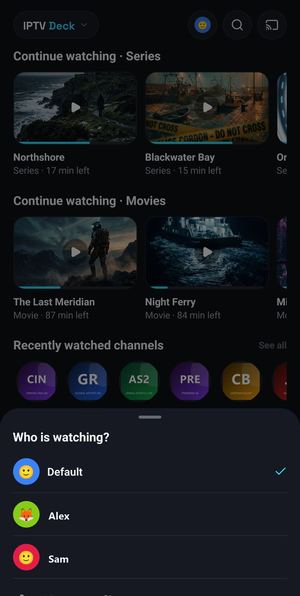
    Several profiles in one install, each with its own favourites, history, watchlist and groups. A kids profile hides the settings, and a PIN hides locked categories from a child completely.

  • Offline and recording

    A resumable chunked downloader for whole films or single episodes, and recording straight from the live stream, the guide or catch-up.

Across devices
  • One account, every screen

    A live listener, not a manual refresh: a change on one device shows up on the other straight away, playback position included, merged field by field so two devices can edit at once without losing anything. Every device picks which domains it takes part in.

  • Chromecast, properly

    Device discovery with its own picker, a mini control bar, remote audio and subtitle selection, external subtitles pushed to the television and the position kept in sync — rather than mirroring the screen.

  • Multiview

    Several channels at once in preset layouts, on the phone and on the television. Choose which channel lands in which cell, then blow one up to full screen.

SettingsPlaylistsFavouritesWatchlistContinue watchingCustom groupsHidden & renamedReminders
Phone and television together
  • One button, and it is on the television

    Find a film on the phone, press Watch on TV, and it starts on the television from the position you stopped at, decoded by the television itself — films, single episodes, live channels or a whole multiview layout. If the box is asleep, the same tap wakes it over your own network and waits for it to come up. Nothing goes through the phone, so nothing is re-encoded and nothing drops when you lock it.

  • No passwords on a remote

    Pair the two once with a QR code. After that you sign in on the television from your phone and add a playlist with its credentials without retyping a thing.

  • A remote when the real one is lost

    A full D-pad on the phone plus play, pause, seek, channel up and down and volume — and whatever the television is playing shows up on the phone, so you can pause it or change channel from there.

Privacy
  • Your provider password never leaves in readable form

    Sync is end-to-end encrypted on the device before anything is uploaded. The key is derived from a recovery code only you hold, the payload is compressed and sealed with XChaCha20-Poly1305, and what reaches the cloud is one opaque blob. There is no key on the server, so playlist URLs, logins and passwords cannot be read there.

  • A recovery code, not a password

    54 characters in groups of six, with a checksum and no letters that look like digits. Type it on the second device and everything unlocks. Lose it and the data stays encrypted — that is the whole point of holding the only key.

  • Your own storage, if you prefer

    On Android you can point sync at your own Google Drive instead of my backend, or export the whole thing to a single encrypted file you keep yourself. The catalogue never leaves the device either — channels, films and the guide stay in local SQLite.

Why it holds up

Built for enormous playlists

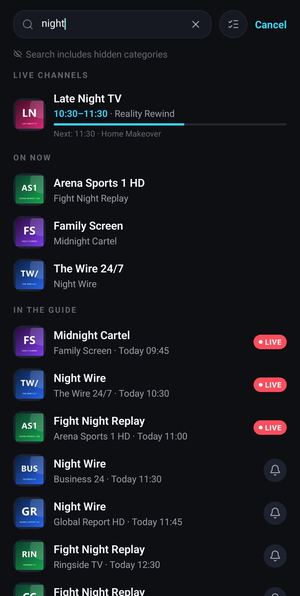
Most players load the whole channel list into memory and fall over somewhere past ten thousand. IPTV Deck keeps the catalogue in SQLite on the device and never holds it whole: lists are virtualised with fixed row heights, filtering happens in the database on composite indexes rather than in JavaScript, jumping to a letter is a query instead of a scroll, and screens paint from cache and revalidate underneath instead of showing you a spinner.

200 000+Live channels, films and series in one catalogue, still searchable in milliseconds
~83 sA full refresh of a catalogue that size on an old Chromecast with Google TV, one of the slowest boxes there is
0Provider passwords kept in readable form, on the device or in the cloud
Pricing

One account. Every screen.

Everything is unlocked for 4 days, free, on your account rather than on one device. After that, pick a plan. Every Premium plan covers up to 2 phones and 2 TVs.

Yearly

$9.99 / year

Four months free compared with monthly.

Monthly

$1.99 / month

The full app. Cancel any time.

Premium add-on

Family Devices

Adds 2 phones and 2 TVs, so the household runs up to 4 phones and 4 TVs while Premium is active.

$12.99 once

Payments are handled by Stripe: cards, Apple Pay and Google Pay. Subscriptions renew until cancelled and can be managed or cancelled any time. Family is a permanent add-on and needs active Premium. Prices in USD.

Good to know

IPTV Deck is a player, nothing else

It ships with no channels, no films and no series, and it neither provides, hosts nor sells any content. To watch anything you add your own playlist — an Xtream Codes account, an M3U link or a local file — from a source you already have the right to use.

The screenshots show the app, not an offer. The posters, titles and programmes visible in them are sample content, put together for this presentation — they are not available in the app and say nothing about what any playlist contains.

Questions before you install? The FAQ covers playlists, providers, devices and billing, and IPTV Deck compared with TiviMate is there if you are weighing a move. Or write to mistyksu@gmail.com.